
Red Dead Redemption 2 controls on PC, PlayStation and Xbox: running, jumping, weapons, Dead Eye and Eagle Eye, the horse, fist fights, greeting people and the journal. How to set auto aim and rebind keys.
Contents
RDR2 PC controls
RDR2 PC controls follow the usual pattern: W A S D to move, left mouse button to shoot, right mouse button to aim, E to interact. Below are the default bindings, listed the same way by StrategyWiki and SteamAH; if you have already rebound something, check Settings → Controls in game for your current keys.
| Action | Key |
|---|---|
| Move | W A S D |
| Run (hold) and sprint | Left Shift |
| Jump, vault | Space |
| Take cover | Q |
| Aim / shoot | right / left mouse button |
| Reload | R |
| Weapon wheel, holster | Tab |
| Punch / block / grapple | F / R / E |
| Interact, loot, mount horse | E |
| Dead Eye (while aiming) and Eagle Eye | middle mouse button or Caps Lock |
| Tag targets in Dead Eye | Q |
| Whistle for horse | H |
| Map / journal / satchel | M / J / B |
| Cinematic camera / change shot | V / C |
| Pause | Esc or P |
According to StrategyWiki, crouch (stealth) is Left Ctrl, and number keys 1-8 pull out a weapon type directly without the wheel.
PS4 / PS5 and Xbox controller layout
The console layout is identical, only the button names change. Data from Shacknews and StrategyWiki.
| Action | PlayStation | Xbox |
|---|---|---|
| Run: hold; sprint: tap repeatedly | Cross | A |
| Crouch | L3 | left stick |
| Jump, climb; block in a fistfight | Square | X |
| Interact, loot, skin; grapple in a fistfight | Triangle | Y |
| Reload; punch in a fistfight | Circle | B |
| Take cover | R1 | RB |
| Aim / shoot | L2 / R2 | LT / RT |
| Weapon wheel (hold), holster (tap) | L1 | LB |
| Dead Eye | R3 while aiming | right stick while aiming |
| Eagle Eye | L3 + R3 | both sticks |
| Whistle for horse | D-pad up | D-pad up |
| Satchel | hold D-pad right | hold D-pad right |
| Journal (hold) / log (tap) | D-pad left | D-pad left |
| Objective, honor, radar mode | D-pad down | D-pad down |
| Map | hold Options | hold Menu |
| Camera; cinematic camera (hold) | touchpad | View |
Horse controls
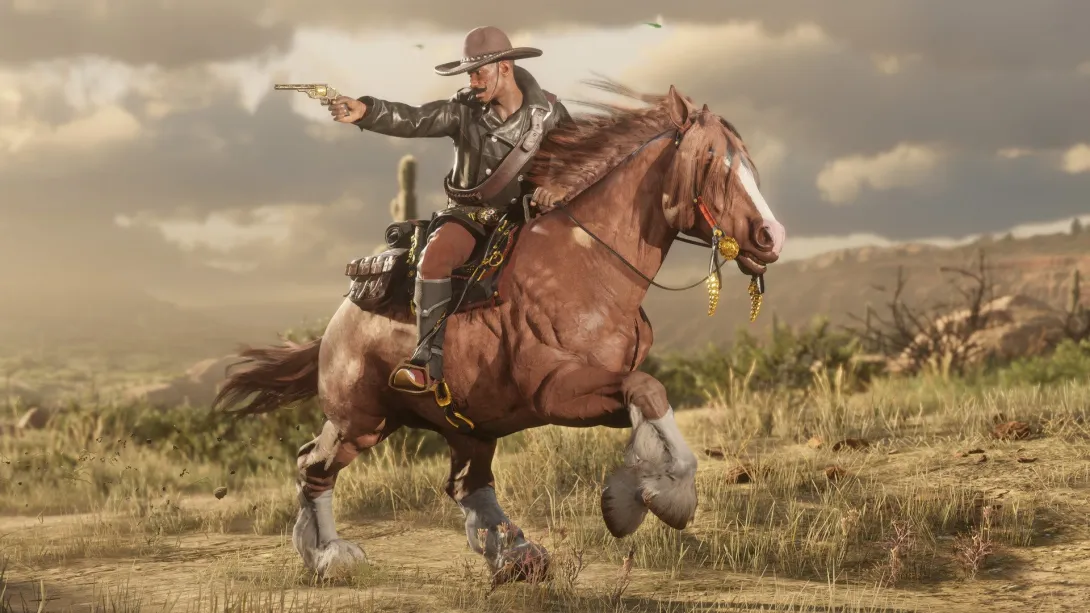
You set your horse's pace by tapping: Cross on PlayStation, A on Xbox, Left Shift on PC. Each tap adds speed, and holding the button, per Shacknews, matches a companion's pace. Slow down with R1 / RB; on PC StrategyWiki lists Left Ctrl. Jumping over obstacles uses the same button as jumping on foot.
Mount or dismount with Triangle / Y / E. If your horse is too far away, whistle: D-pad up or H. L3 on a controller calms a spooked horse. Shacknews adds that holding Triangle while stopped hitches the horse to a post. Breeds, bonding and care are on our RDR2 horses page.
How to fistfight and talk to people
To brawl, holster your weapon (tap L1 / LB / Tab) and focus on your opponent: hold L2 / LT, or the right mouse button on PC. Then it is all three buttons:
- punch - Circle / B / F;
- block - Square / X / R;
- grapple - Triangle / Y / E.
The same focus opens conversations. On a controller, Square / X greets or defuses, Circle / B antagonizes, as Twinfinite and SegmentNext describe. On PC, StrategyWiki lists R and F. Keep in mind that throwing the first punch is a crime: it lowers your honor and can get you wanted.
Dead Eye, Eagle Eye and auto aim
Dead Eye only works while aiming: R3 on PlayStation, the right stick on Xbox, middle mouse button or Caps Lock on PC. Time slows down, and you can tag targets (R1 / RB / Q) and fire at them in one sequence. The meter does not refill on its own; our RDR2 beginner tips explain how to top it up. Eagle Eye without aiming is L3 + R3 on a controller and the same key as Dead Eye on PC.
Auto aim lives in Settings → Controls, in the targeting options: Lock-On Mode (On Foot) offers Normal, Narrow, Wide and Free Aim. Narrow only grabs a target when the reticle is close, Wide reaches further, Free Aim switches lock-on off. Mein-MMO notes there is a separate setting for horses and vehicles. Sources disagree on how lock-on behaves with a mouse on PC, so check it in game. Weapons for every play style: RDR2 weapons.
How to change key bindings and buttons
PC. You can only rebind keys inside the game, not from the title screen: Pause → Settings → Controls → Keyboard and Mouse → Key Mapping. Pick an action and press the new key.
Controller. RDR2 does not let you freely swap buttons, but it has preset control schemes for third and first person plus sensitivity settings. Mein-MMO points to one more accessibility option: the on-foot run mode can be switched from hold to toggle, so you do not have to keep the button pressed. If that is not enough, remap at system level: on PS5 under Settings → Accessibility → Controllers → Custom Button Assignments, on Xbox in the Xbox Accessories app. In-game prompts will still show the default buttons.
Gamepad on PC. Steam lists partial controller support: the controller works in game, but you may need the mouse in the Rockstar launcher menus. Graphics and other options: best RDR2 settings.
Journal, satchel and fast travel
Arthur's journal opens by holding D-pad left or pressing J; the satchel by holding D-pad right or pressing B. The Documents section of the satchel holds maps, including the legendary fish map. How to land them: RDR2 legendary fish; general rod tips in fishing.
Fast travel has no button. You unlock it with the camp ledger: first Dutch's tent for $220, then Arthur's lodging for $325. The map appears at Arthur's tent, and you can only travel to places you have already visited. You can also fast travel from your own wilderness camp.
How do I turn on auto aim in RDR2 on PC?
How do you take a bath in RDR2?
Can I play RDR2 on PC with a controller?
Popular on GTA Top
- GTA 5 on mobile does not exist, and every APK is a fake
- GTA San Andreas on mobile comes in two official versions: here is what they cost
- Count down the days to GTA 6 with a live timer to November 19
- You can play GTA 5 in a browser only through the cloud, with your own copy
- GTA San Andreas in 2026: how to play it legally and which version to pick
Sources
- Official: Rockstar Games, Rockstar Newswire, Rockstar Support, Take-Two Interactive
- Databases and guides: Red Dead Wiki, RDR2.org, GTABase, PowerPyx
- Press: GamesRadar, PC Gamer, IGN, VGC, Game Informer
Every fact is checked against official sources or at least two independent ones; player-sourced data is labelled in the text. Images are official Rockstar Games material. GTA Top is not affiliated with Rockstar Games or Take-Two Interactive.